Scroll the page, turn the year
MegaSquad draws its seasons as a spiral you turn by scrolling. It arrives already turned, moves without rebuilding itself, and still works without it.
MegaSquad is the pick’em site my brother and I built. We started it for our family, and it grew from there into friend squads, work squads and more. Every season we’ve run is listed in a table, and above the table now sits a dial: the same seasons drawn as a spiral that turns as you scroll.
It’s better to watch it turn than have it described, so here it is doing that. Or go to megasquad.org (opens in a new tab), scroll past the ticket at the top, and turn it yourself.
One lap is one year
TL;DR
Time runs clockwise from the pointer at the top, one full lap a year, and each lap sits a little inside the one before, so the oldest day is on the outside edge and today is nearer the middle. The dial holds up to the last 24 months, a little over two laps once it’s full. MegaSquad’s seasons only go back to September 2025, so today it’s about a lap and a half, and the last stretch of that’s schedule still to be played. Anything that ages off the dial stays in the table underneath.
The sports are color-coded: orange for football, blue for basketball, green for baseball. A faded stretch is a live season’s schedule that hasn’t been played yet, and dashes mean there was nothing to pick. The longest of those gaps, as long as it ran 30 days or more, gets a sleeping MegaSquid (our mascot).
As it turns, the dial stops at the moments worth stopping at: the first day of each season, the last day of each finished one, the middle of every off-season of 30 days or more, and today. Each stop has a line of its own beside the dial. Scroll back far enough and it tells you The Super Bowl closes NFL 2025 at 285 games, or that the summer was 22 weeks with nothing to pick. Every line is assembled from the season data rather than written one stop at a time. Live seasons come from my brother’s API, and finished ones from a record copied out of it.
Two seasons at once, two nows
TL;DR
On September 29 the MLB Playoffs threw their first pitch while the NFL was in its third week. Two live seasons on the same day is the case a single pointer handles worst. There’s only one today, and two different things are happening in it.
Two seasons running at once are drawn on two lanes, side by side, so neither paints over the other. Every live season gets its own Now stop, both on the same day, and the ring under the pointer sits on the lane of whichever season the stop is about. Scroll from one Now to the other and the date in the middle doesn’t change at all. Only the ring moves, from baseball’s lane out to football’s.
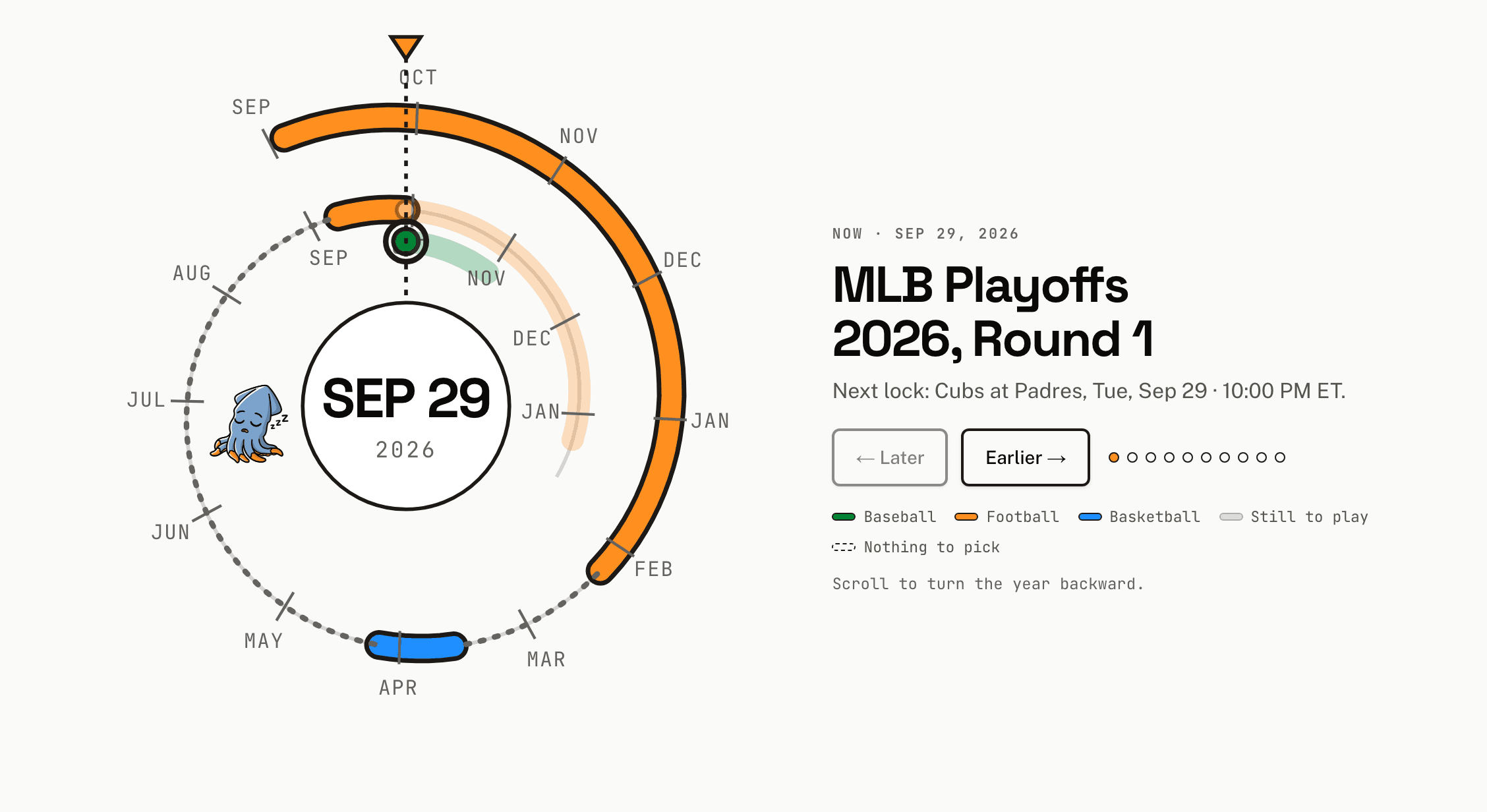
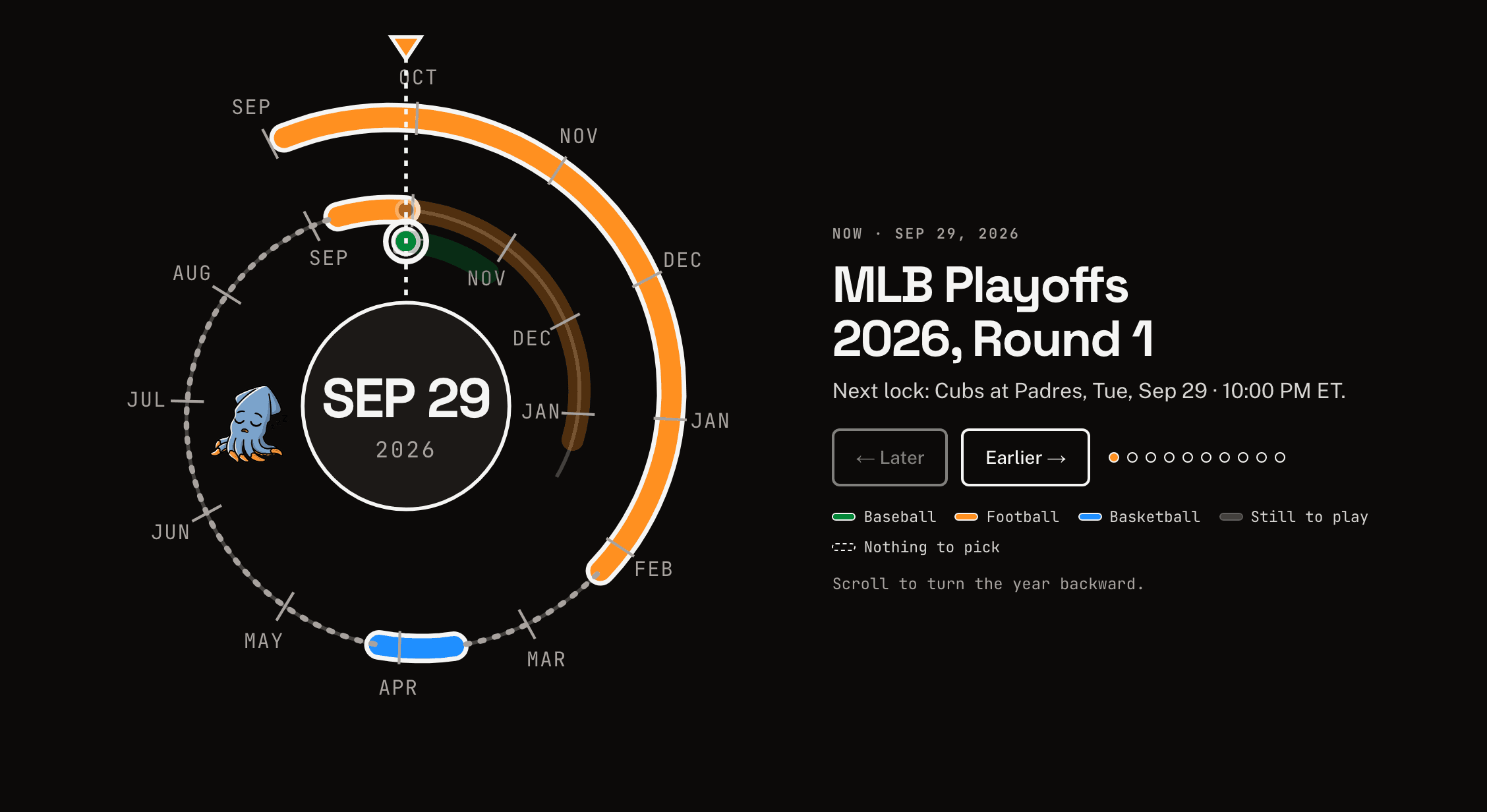
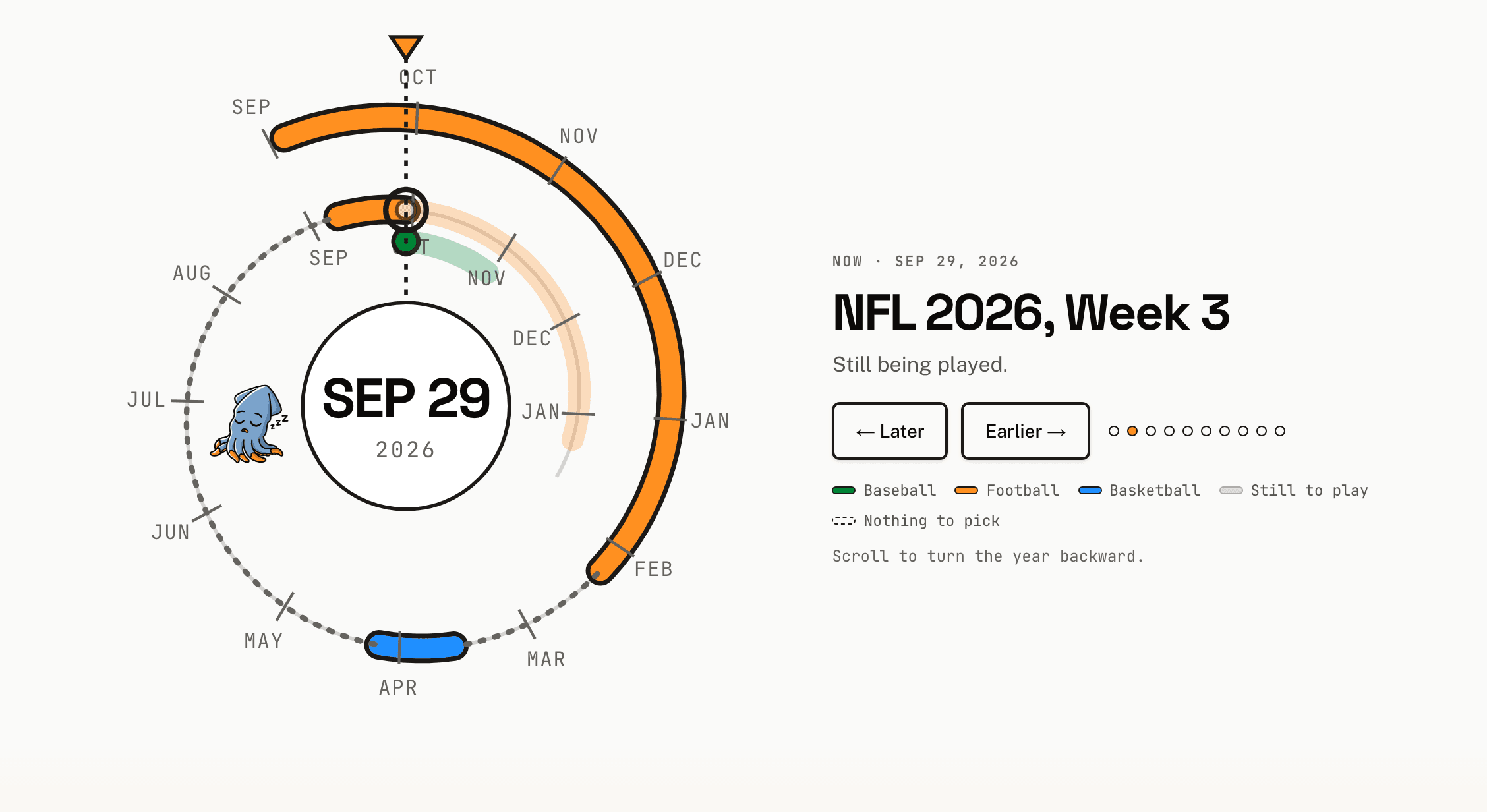
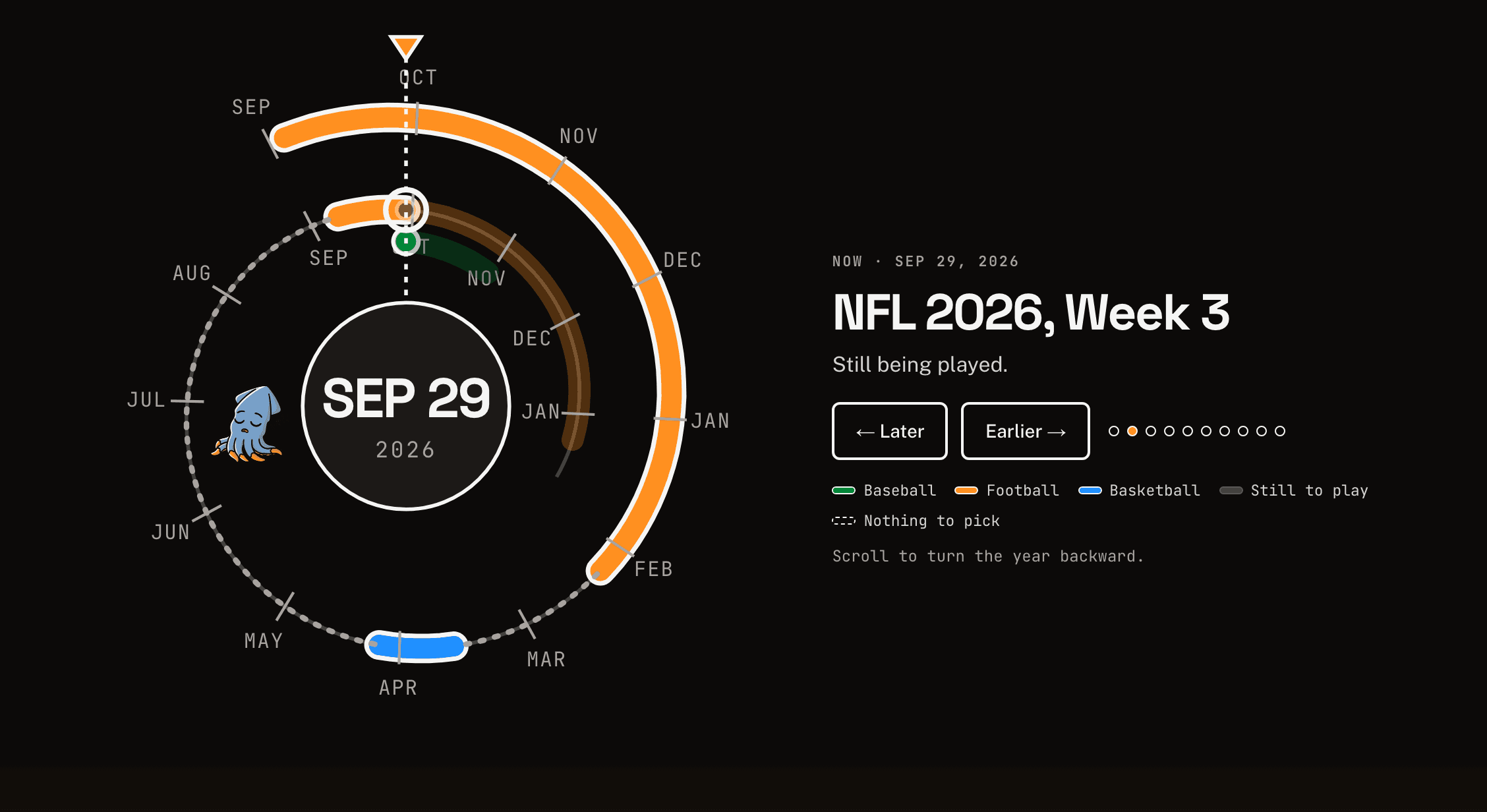
Tapping a live season’s arc takes you straight to its Now stop, which is the quick way between the two with a finger. Earlier and Later reach the same stops for anyone not tapping.
Those pictures were taken on the playoffs’ first day, which is why baseball’s played stretch is a single green dot. A season one day old is a line from a day to itself. That has no length and would draw nothing, so the dial draws it as a line of zero length with a round end, and a browser draws that as a dot.
It arrives already turned
TL;DR
The server draws the whole dial, turned to the newest stop. When the page’s JavaScript arrives and takes over, the dial is already exactly where the script would have put it, so nothing moves. There’s no loading state because there’s nothing left to load. The drawing came with the page.
Twenty-two writes a frame
TL;DR
The obvious way to build this in React is to keep the current day in state and draw the dial from it. Every scroll would then re-render the drawing, up to sixty times a second, to change what’s really just a rotation.
So React draws the dial once and never draws it any differently. Scrolling writes to the drawing itself instead: a rotation on the group that holds the spiral, a rotation the other way on each month label and on the MegaSquid so they stay upright, the ring’s height for its lane, and the date in the middle. Scroll events are gathered into at most one update per frame.
I measured one frame of scrolling on the live site on September 29. It made 22 writes, 19 of them rotations, and added or removed nothing from a drawing of 64 elements. Both numbers grow with the data, since every month on the dial is another label to keep upright.
The drawing itself never re-renders. Apart from a once-a-second clock tick, which lets the Now stop drop a game’s name once it kicks off, React re-renders only the caption and the dial’s label, and only when the nearest stop changes.
root.querySelector("[data-rotor]")
  ?.setAttribute("transform", turnTo(spiral, day));
Between stops it doesn’t simply slide. Each stop holds still for the first and last 28% of the scroll between it and the next, and eases in between, so there’s time to read one before the next arrives.
The stylesheet decides
TL;DR
Scrolling only drives the dial where that makes sense: the script is running, the visitor hasn’t asked for reduced motion, and the window is at least 600 pixels tall. There, the section grows by 60% of a screen for every stop after the first, and the dial stays pinned in place while you scroll through it. Everywhere else it sits in the page like a picture, and Earlier and Later turn it over 600 milliseconds, or straight away if you’ve asked for less motion.
That decision is made once, in CSS:
@media (scripting: enabled)
  and (prefers-reduced-motion: no-preference)
  and (min-height: 600px) { … }
The script needs the answer too. It keeps its own copy of the query, less the first clause, since a running script needs no telling that scripts are running, but it only listens to that copy for changes. To decide, it asks the layout: if the dial’s stage is pinned, the page is in scrolling mode.
That matters in a browser that doesn’t understand scripting. It ignores the stylesheet’s whole block, because one unknown part sinks the query, but it would still match the script’s shorter copy, and a script trusting that copy would scroll a page laid out for buttons. Reading the layout means the script is reading the stylesheet’s own answer. A test keeps the script’s copy the same as the stylesheet’s, less that first clause.
const isScrollDriven = (stage: HTMLElement | null) =>
!!stage && getComputedStyle(stage).position === "sticky";The table was there first
TL;DR
A picture of a spiral isn’t much use read aloud. So the real content of the section is still the table beneath it, which lists every season MegaSquad has run, newest first. Without JavaScript the dial is simply hidden, so nobody gets an empty box.
The dial still says what it’s showing, as its label: Season dial, showing Apr 6, 2026: Michigan 69, UConn 63. And a live region announces the new stop when you press Earlier or Later, or tap a season. It stays quiet while you scroll. A scroll passes through every stop on the dial, and announcing each one would turn a screen reader into a sports ticker.
At either end, the button that can’t go any further is dimmed and marked unavailable for screen readers, but it isn’t actually disabled. A disabled button drops keyboard focus to the top of the page. In scrolling mode the caption reaches the last stop halfway through the scroll to it, so the button you pressed to get there would go disabled under your pointer.
It will look different when you get there
TL;DR
Everything here was captured on September 29, 2026, the day the baseball playoffs began. A day later the green dot is a line, and before long there will be a stop on the dial that isn’t in these pictures. The page is rebuilt in the background, no more than once every five minutes and only when someone visits, and the dial comes with it.
megasquad.org (opens in a new tab), home page, scroll down past the ticket. Turn it back to the first season, then tap a live one and watch the ring change lanes.